[React] useMemo를 사용한 화면 깜빡거림 제거
트러블 이슈
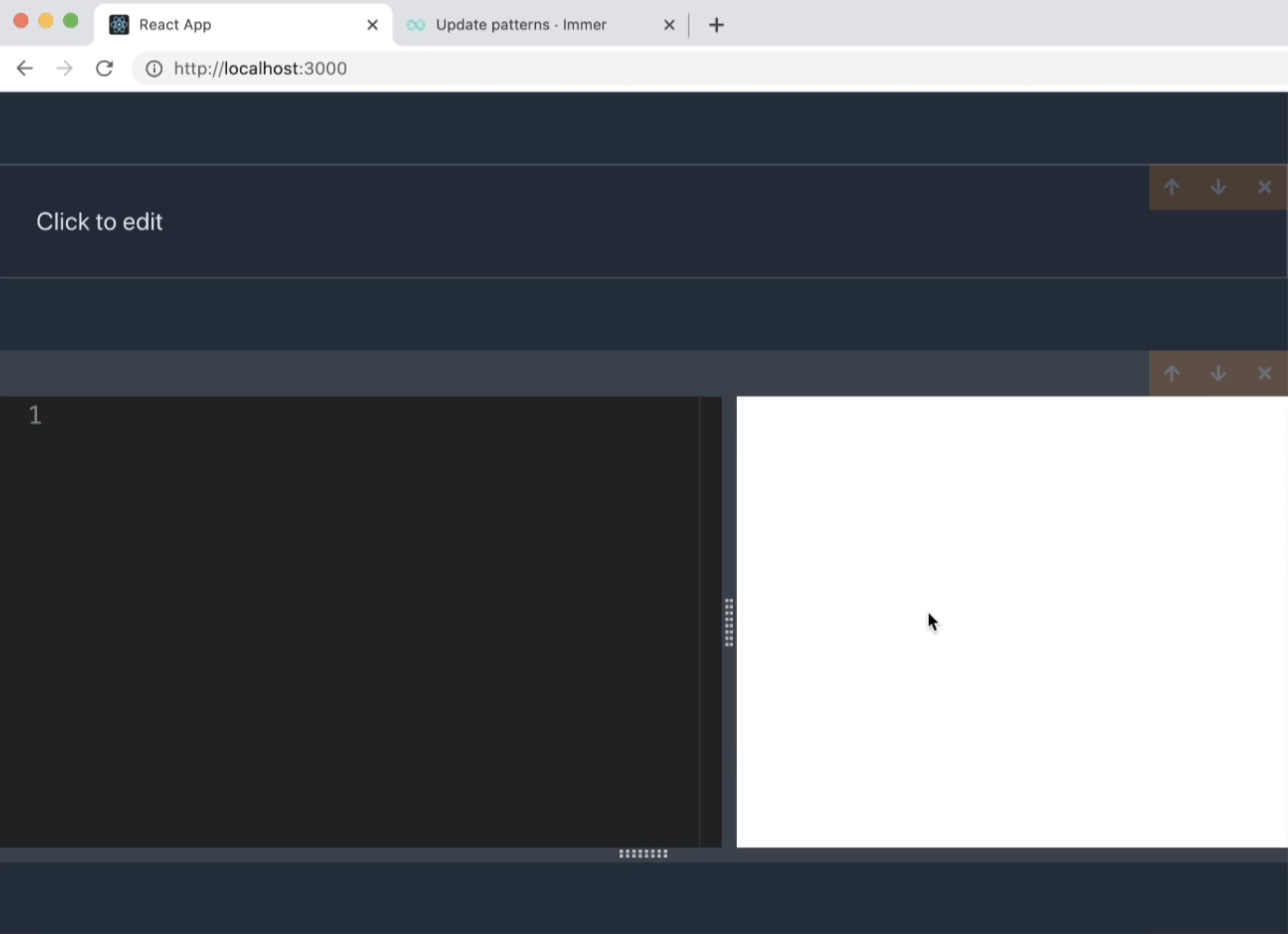
코드 번들링 사이트를 만들던 중 버그가 발견 되었다. 아래 이미지를 보면 왼쪽 검은색 영역이 코드를 작성하는 부분이고, 오른쪽 흰색은 그 코드의 결과가 나오는 화면이다. 그런데 새로고침을 할 때마다 흰색 영역이 한 번 검은색으로 깜빡 거리는 현상이 있었다.
code-cell.tsx (코드 결과를 보여주는 React Component)
import './code-cell.css';
import { useEffect } from 'react';
import CodeEditor from './code-editor';
import Preview from './preview';
import Resizable from './resizable';
import { Cell } from '../state';
import { useActions } from '../hooks/use-actions';
import { useTypedSelector } from '../hooks/use-typed-selector';
import { useCumulativeCode } from '../hooks/use-cumulative-code';

interface CodeCellProps {
  cell: Cell;
}

const CodeCell: React.FC<CodeCellProps> = ({ cell }) => {
  const { updateCell, createBundle } = useActions();
  const bundle = useTypedSelector((state) => state.bundles[cell.id]);
  const cumulativeCode = useCumulativeCode(cell.id);

  useEffect(() => {
    createBundle(cell.id, cumulativeCode);
    return;

    const timer = setTimeout(async () => {
      createBundle(cell.id, cumulativeCode);
    }, 750);

    return () => {
      clearTimeout(timer);
    };
}, [cumulativeCode, cell.content, cell.id, createBundle]);

  return (
    <Resizable direction='vertical'>
      <div
        style={{
          height: 'calc(100% - 10px)',
          display: 'flex',
          flexDirection: 'row',
        }}
      >
        <Resizable direction='horizontal'>
          <CodeEditor
            initialValue={cell.content}
            onChange={(value) => updateCell(cell.id, value)}
          />
        </Resizable>
        <div className='progress-wrapper'>
          {!bundle || bundle.loading ? (
            <div className='progress-cover'>
              <progress className='progress is-small is-primary' max='100'>
                Loading
              </progress>
            </div>
          ) : (
            <Preview code={bundle.code} err={bundle.err} />
          )}
        </div>
      </div>
    </Resizable>
  );
};

export default CodeCell;
상기 코드를 살펴보면 'useEffect'안에 setTimeout 코드가 있으며, 그 안에 콜백 함수로 'createBundle' 코드가 있다. 'createBundle'은 사용자가 코드를 입력하면 해당 코드를 번들링하여 번들된 코드를 보여주는 역할을 한다. 이는 'redux'를 사용하였고 'use-actions.tsx'라는 action에서 bind하여 가져온 코드이다. 아래는 'use-action.tsx' 파일의 코드이다.
use-actions.tsx (Redux Action)
import { useDispatch } from 'react-redux';
import { bindActionCreators } from 'redux';
import { actionCreators } from '../state';

export const useActions = () => {
  const dispatch = useDispatch();

    return bindActionCreators(actionCreators, dispatch);
};
'use-action.tsx'의 코드를 살펴보면 'bindActionCreators'에 'dispatch' 함수를 항상 'actionCreators'와 'bind'하고 그 값을 'reture'한다는 것을 알 수 있다. 이는 useActions을 호출할 때마다 rebinding되어 약간씩 다른 버전의 'createBundle'이 생성된다는 의미이다. (역할은 같아도 내부에 할당하는 값이 다르다. 이는 자바스크립트 데이터 타입 부분을 이해해야한다) 따라서 'code-cell.tsx' Component가 rerendering 될때마다 불러오는 'createBundle'이 매번 다른 버전이기 때문에 useEffect의 dependency를 통해 setTimeout의 코드가 매번 실행된다.
화면 깜빡거림 제거
하지만, 'bindActionCreators' 사용하여 매번 bind할 필요 없이 웹 어플리케이션이 처음 실행될 때 1번만 실행하면 된다. 이때 사용할 수 있는 React hook은 'useMemo'가 있다. 'useMemo'는 사용할 수 있는 곳이 많이 있다. 이번 케이스는 'bindActionCreators'를 1번만 bind하고 싶은 경우이다. 아래와 같이 'useMemo'를 return 문에 감싸면 이를 구현할 수 있다.
import { useMemo } from 'react';
import { useDispatch } from 'react-redux';
import { bindActionCreators } from 'redux';
import { actionCreators } from '../state';

export const useActions = () => {
  const dispatch = useDispatch();

  return useMemo(() => {
    return bindActionCreators(actionCreators, dispatch);
  }, [dispatch]);
};
'useMemo'의 사용법은 'useState', 'useEffect'와 거의 비슷하다. dependency로 'dispatch'가 들어가 있는데 해당 array가 변경될 때마다. 'useMemo'에 내부에 있는 'bindActionCreators'가 재실행 된다. 스크롤을 올려 다시 'code-cell.tsx'로 돌아가보면 useMemo로 인해 'useActions'의 createBundle이 몇 번 재호출이 되더라도 메모리에 같은 function이 저장된다. 이를 통해 useEffect가 불필요하게 재호출 되는 것을 방지했다.
다시 새로고침을 하였을 때 깜빡거림이 사라지는 것을 확인할 수 있다.